Retry Clicks Functionality
We’ve introduced a new enhancement to the click command designed to improve reliability when a subsequent action fails.
With this update, testRigor can automatically retry a click action if the next step does not succeed. For example, if an initial click is followed by another action that fails, the system will attempt to re-execute the original click before retrying the failed step. This helps recover from intermittent UI issues or unstable elements. If the retry attempts do not resolve the issue, testRigor will return a clear failure message indicating that the click action could not be successfully completed despite retries.
This feature supports both local and global configuration. You can apply retry behavior to individual commands (by adding with retries if the next action fails) or enable it as a global setting for broader coverage. To configure this option, navigate to Advanced Settings and locate the retry behavior for click actions. You can choose between:
Retry once
Retry up to two times
This flexibility allows you to balance test stability with execution time based on your specific needs.
Extract Common Steps as Rules
We’ve introduced a new feature called Extract Common Steps as Rules, designed to improve test suite maintainability and reduce duplication.
This functionality analyzes up to 1,000 of the longest test cases in your suite and identifies steps that are repeated across multiple tests. Based on this analysis, the system suggests creating reusable rules, allowing you to standardize common workflows and simplify test management.
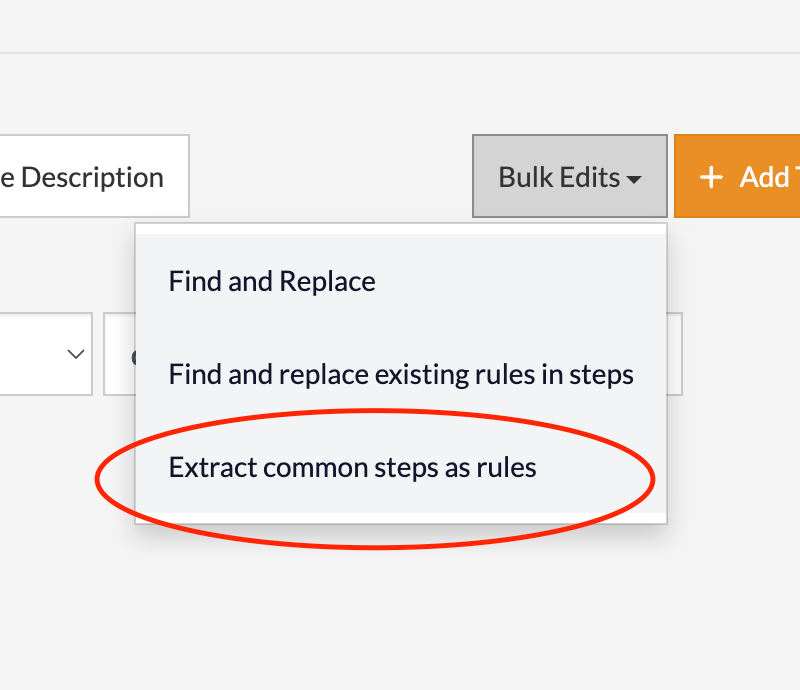
Caption: New Extract Common Steps as Rules button.
The analysis results are available on the Background Jobs page, where you can review each suggested rule along with the associated steps. From there, you can manage these rules by applying them across your test cases, deleting them if they are no longer needed, or reverting changes either globally or step by step for more granular control.
Each suggested rule is automatically assigned a unique, descriptive name generated by AI, based on the extracted steps. This makes it easier to understand, organize, and reuse rules across your test suite.
Name Live Mode Session Before Starting
Lastly, it is now possible to name the Live Mode session before starting, which helps with the overall organization of the test cases when using Live Mode to build them.
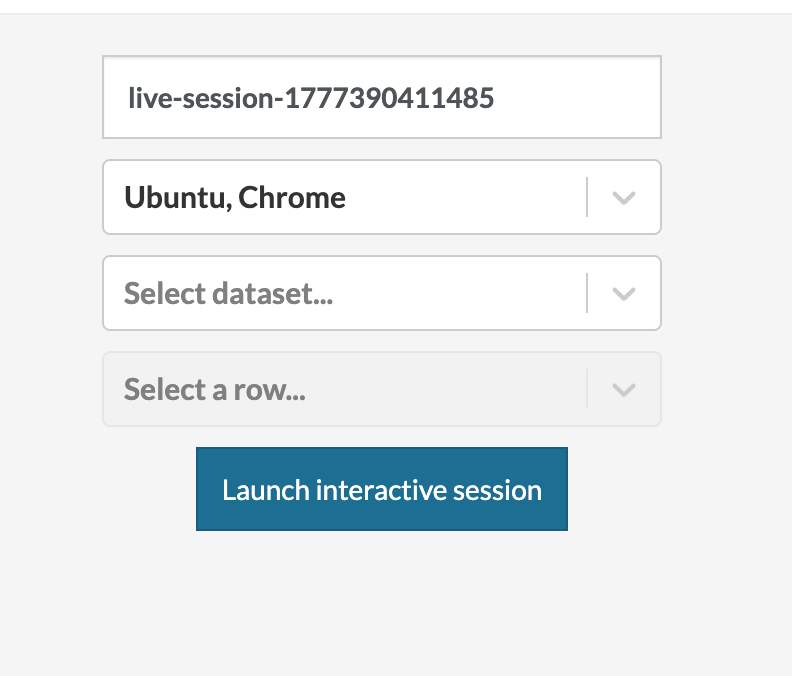
Caption: Name field in the Live Mode launcher page.
Was this article helpful?
That’s Great!
Thank you for your feedback
Sorry! We couldn't be helpful
Thank you for your feedback
Feedback sent
We appreciate your effort and will try to fix the article